If you are planning to start a small business under the Chief Minister’s Atmanirbhar Asom Abhijan (CMAAA) 3.0, preparing a project report is one of the important steps you should understand.
Many applicants search online for the CMAAA 3.0 Project Report PDF because they want to know which business template to download, how to prepare the report and where to submit it.
The project report explains your proposed business, estimated investment, required equipment, operating expenses and expected income. It helps present your business idea in a clear and organised way.
In this article, we will explain how to find the available CMAAA project report templates on the official website, how to select the correct business category and what to check before uploading your PDF.
What Is a CMAAA 3.0 Project Report?
A CMAAA 3.0 project report is a document that provides details about the business you are planning to establish under the Chief Minister’s Atmanirbhar Asom Abhijan.
For example, suppose you want to start a poultry farm in Assam. Your project report should explain how many birds you plan to raise, how much space you need, the cost of poultry equipment, feed expenses and how you expect to sell the birds.
Similarly, if you want to open a grocery shop, your report should include the shop setup cost, stock requirements, furniture, monthly expenses and expected sales.
The purpose is to explain your business idea and show that you have thought about its financial and operational requirements.
Where to Download CMAAA 3.0 Project Report PDF?
The first place to check is the official CMAAA website of the Government of Assam.
Official CMAAA Website: https://cmaaa.assam.gov.in/
The portal has provided project report templates for different sectors in the earlier CMAAA application process. Applicants should check the current portal for the templates and instructions applicable to CMAAA 3.0.
You should avoid downloading random project reports from unknown websites and treating them as official government documents.
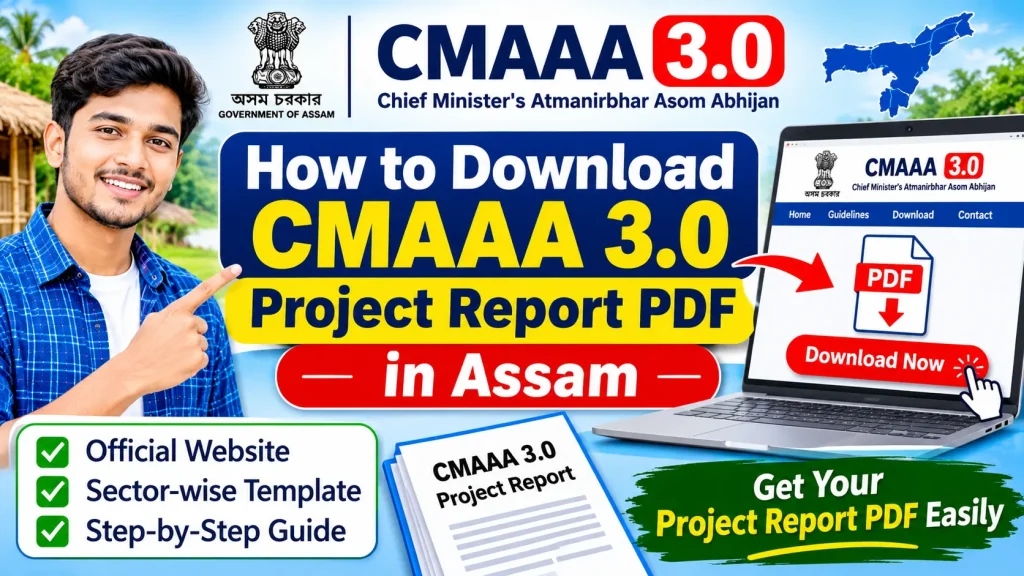
How to Download CMAAA 3.0 Project Report PDF Online
Follow these steps to find the available project report templates.
Step 1: Visit the Official CMAAA Website
Open your mobile or computer browser and visit:
Make sure you are visiting the official Government of Assam website.
Step 2: Find the Project Report or Project Template Section
After opening the website, look for an option related to project reports or project templates.
The earlier CMAAA portal displayed an option called “Download Project Templates for different sectors”.
The exact menu name or availability may change when the portal is updated for a new application phase.
Step 3: Select Your Business Sector
Choose the sector that matches your proposed business.
For example, you may be interested in:
- Agriculture
- Animal Husbandry
- Fishery
- Manufacturing
- Trading
- Service Sector
The available categories and sub-sectors should be checked on the current official portal.
Step 4: Choose Your Business Activity
After selecting the main sector, check whether a suitable business activity or sub-sector is available.
For example:
| Main Sector | Possible Business Activity |
|---|---|
| Animal Husbandry | Poultry Farming |
| Animal Husbandry | Dairy Farming |
| Fishery | Fish Farming |
| Trading | Grocery Shop |
| Manufacturing | Food Processing |
| Service | Mobile Repairing |
| Manufacturing | Garment Production |
These are examples of business activities, not a confirmed CMAAA 3.0 approved-sector list.
Step 5: Download the Available PDF Template
If the official portal provides a project report template for your selected activity, open the relevant download option.
Save the PDF file to your mobile or computer.
You can keep the original template for reference while preparing your own business details.
Step 6: Check the Project Report Instructions
Before using the downloaded document, read its instructions carefully.
Check the business name, project cost, machinery requirements, working capital and other financial details.
Make sure the template belongs to the correct scheme phase and matches the latest instructions.
Business-Wise CMAAA Project Report PDF
Different businesses require different project reports. You should not use a poultry farming report for a grocery shop or a dairy project.
Here are some examples of business project reports you may need to look for.
1. CMAAA Poultry Farming Project Report PDF
If you want to establish a poultry farm, your project report should explain:
- Type of poultry farming
- Number of birds
- Poultry shed requirements
- Feed and medicine expenses
- Equipment requirements
- Estimated production
- Marketing arrangements
- Expected income and expenses
2. CMAAA Dairy Farming Project Report PDF
For a dairy farming business, include:
- Number and type of cattle
- Purchase cost of animals
- Cattle shed requirements
- Feeding expenses
- Veterinary expenses
- Milk production estimates
- Local milk market information
- Monthly income and expenses
3. CMAAA Fish Farming Project Report PDF
If you want to start fish farming, your project report should cover:
- Pond availability and size
- Fish species
- Fish seed requirements
- Fish feed expenses
- Water management
- Equipment requirements
- Expected production
- Selling arrangements
4. CMAAA Grocery Shop Project Report PDF
For a grocery shop, include:
- Shop location
- Shop setup expenses
- Furniture and shelves
- Initial stock investment
- Product categories
- Monthly operating expenses
- Expected sales
- Estimated profit
5. CMAAA Food Processing Project Report PDF
For food processing, you should provide details about:
- Type of food products
- Machinery requirements
- Raw material availability
- Packaging expenses
- Production capacity
- Food safety requirements
- Marketing arrangements
- Expected revenue
What Details Should a CMAAA Project Report Include?
A properly prepared business project report should explain the important parts of your proposed business.
The following table will help you understand what information to prepare.
| Project Report Section | Information Required |
|---|---|
| Business Introduction | Name and type of business |
| Applicant Details | Relevant applicant information |
| Business Location | Village, town or district |
| Project Objectives | Purpose of starting the business |
| Market Analysis | Customer demand and competition |
| Machinery | Required equipment and tools |
| Fixed Investment | Setup and equipment expenses |
| Working Capital | Daily and monthly operating funds |
| Income Estimate | Expected business sales |
| Expense Estimate | Regular business expenses |
| Profit Estimate | Expected income after expenses |
| Marketing Plan | How you will sell products or services |
The financial figures should be realistic. Do not enter random amounts just to make your project look attractive.
Can I Prepare My Own CMAAA 3.0 Project Report?
You may prepare your own project report if you understand the business and its financial requirements.
However, you should first check whether the official portal provides a prescribed format or template for your selected sector.
You can follow these suggestions:
- Understand the business activity properly.
- Collect current prices of machinery and equipment.
- Estimate the raw material cost.
- Calculate monthly operating expenses.
- Research local customer demand.
- Prepare realistic sales and income estimates.
- Follow the required official project report format.
If you are unsure about financial calculations, you can seek guidance from the District Industries and Commerce Centre (DICC) or an experienced professional.
How to Make a Project Report PDF on Mobile
If you have the required business details but do not know how to create a PDF, you can use a mobile document editor.
Here is a simple method:
- Prepare your business details in a document editor.
- Add the project title and business information.
- Include investment and expense tables.
- Check all calculations carefully.
- Save or export the document in PDF format.
- Open the PDF once to check whether all pages are readable.
You can use Google Docs or Microsoft Word to prepare the document.
Remember that creating a PDF yourself does not automatically make it an approved CMAAA project report. Follow the prescribed format whenever the official portal requires one.
Common Problems While Downloading CMAAA Project Report PDF
Sometimes applicants may face problems while trying to download a project report.
Here are a few possible reasons and what you can do.
Project Report Download Option Not Showing
The portal may have changed its layout or the relevant templates may not currently be available.
Check the latest official notifications and revisit the portal.
PDF Is Not Opening
Your browser or PDF viewer may have a problem.
Try downloading the file again and opening it with a PDF reader.
Wrong Business Template Downloaded
Check the sector and sub-sector name before using the document.
Choose a template that matches your proposed business.
Old Project Report Template
An older template may not match the latest application requirements.
Check the scheme phase, document date and instructions before submitting it.
Download Button Not Working
Try another browser or a computer. You can also check whether the official website is temporarily unavailable.
Important Things to Remember Before Uploading Your Project Report
Before submitting your CMAAA project report, check the following:
- Your business activity matches the selected sector.
- Your project report contains the required information.
- Your estimated investment is realistic.
- Your income and expense calculations are correct.
- You have followed the prescribed format, if applicable.
- Your PDF is readable.
- You have checked the latest CMAAA 3.0 instructions.
Do not assume that downloading a sample PDF means it is ready for submission. You may need to enter your own business details and financial estimates.
Frequently Asked Questions (FAQs)
1. How can I download the CMAAA 3.0 Project Report PDF?
Visit the official CMAAA website at https://cmaaa.assam.gov.in/ and look for the project report or project template section. Select your relevant business sector and check whether a suitable PDF template is available for CMAAA 3.0.
2. Is the CMAAA Project Report PDF free to download?
The official portal has provided project templates for applicants in earlier scheme phases. Check the current portal for the availability and download instructions for CMAAA 3.0.
3. Can I download a poultry farming project report for CMAAA?
You can check the official project template section for a poultry farming report. Make sure the template is applicable to the current scheme phase before using it.
4. Can I use an old CMAAA project report for CMAAA 3.0?
Do not automatically use an old project report. Scheme rules, business categories and prescribed formats may change. Check the latest official instructions before submitting any previous template.
5. Is a project report required for CMAAA 3.0?
The earlier CMAAA application process required project reports for selected sectors or sub-sectors. Check the current CMAAA 3.0 application instructions to confirm the requirement for your proposed business.
6. Can I prepare my CMAAA project report on mobile?
Yes. You can prepare a document using Google Docs or Microsoft Word on your mobile and export it as a PDF. Follow the official format and instructions wherever applicable.
7. Where can I get help preparing a CMAAA project report?
You can approach your nearest District Industries and Commerce Centre (DICC) for guidance about the applicable project report requirements.
8. What should I do if the CMAAA project report PDF is unavailable?
Check the official portal and recent government notifications again. If the template has not been published or made accessible, wait for the official update rather than relying on an unverified download link.
Conclusion
Downloading and preparing the correct CMAAA 3.0 Project Report PDF is an important part of planning your business under the Chief Minister’s Atmanirbhar Asom Abhijan.
Start by visiting the official Government of Assam portal and checking the available sector-wise project templates. Select the business activity that matches your plan and prepare the required financial details carefully.
Whether you are planning poultry farming, dairy farming, fish farming, a grocery shop or a small manufacturing unit, make sure your project report reflects your actual business requirements.
Always follow the latest official CMAAA 3.0 guidelines before uploading your project report. This will help you avoid mistakes during the application process.
Official Website: https://cmaaa.assam.gov.in/